🚀 Create your next AI video — bring your ideas to life.
Grok Imagine AI Image Generator
Shape Your Image with Light and Composition
Describe the light direction, color palette and composition in your image prompt. Choose one visual style and leave space for any typography you intend to add later.
Review Credits Before Generating
Create images with AI
Choose a Model and Review Its Cost
Review Credits Before Generating
Create images with AI
Choose a Model and Review Its Cost
1 / 12
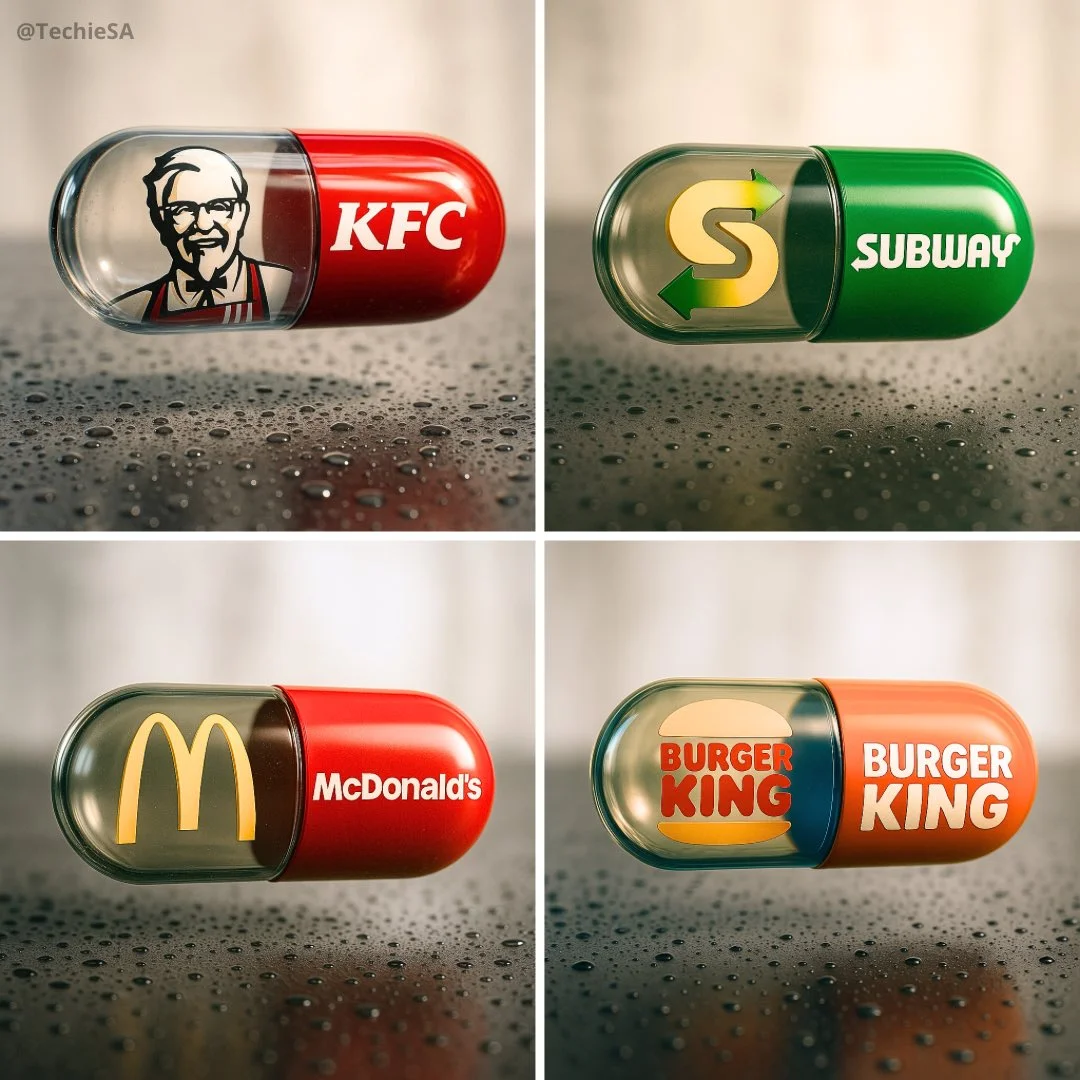
Brand Fast Food CapsuleVerified prompt
Create a hyper-realistic, stylish poster [1080x1080] aspect ratio featuring a horizontal tablet-capsule hovering above a surface covered in condensation and water droplets, with its shadow cast on the wet ground. One side of the capsule is transparent glass, while the other is glossy [BRAND COLORS] plastic, displaying the [BRAND] logo and name. Seamlessly floating inside the glass portion of the capsule is a photorealistic 3D model of the [BRAND LOGO OR ICON], perfectly centered and suspended in zero gravity. The glass and plastic surfaces showcase strong reflections, refractions, and environmental distortions. The background is a softly blurred, elegant light-toned setting. Use a dynamic perspective with a stylish camera angle, professional studio lighting, and ultra-high detail to make the image look like a DSLR-captured photograph with impeccable realism.
Create a hyper-realistic, stylish poster [1080x1080] aspect ratio featuring a horizontal tablet-capsule hovering above a surface covered in condensation and water droplets, with its shadow cast on the wet ground. One side of the capsule is transparent glass, while the other is glossy [BRAND COLORS] plastic, displaying the [BRAND] logo and name. Seamlessly floating inside the glass portion of the capsule is a photorealistic 3D model of the [BRAND LOGO OR ICON], perfectly centered and suspended in zero gravity. The glass and plastic surfaces showcase strong reflections, refractions, and environmental distortions. The background is a softly blurred, elegant light-toned setting. Use a dynamic perspective with a stylish camera angle, professional studio lighting, and ultra-high detail to make the image look like a DSLR-captured photograph with impeccable realism.
1:1 · SOURCE
Cartoon Modern Style IllustrationVerified prompt
Transform this image into a Cartoon Modern Style illustration, inspired by classic UPA animation like Mr. Magoo and The Jetsons.
Redesign the character using flat, geometric shapes: ovals, rectangles, simple curves and angles. Avoid realistic proportions — the design should be stylized and abstract.
Use a limited color palette, preferably soft pastels or bold contrasts (e.g. mint green, salmon, sky blue, mustard yellow), with flat tones and no gradients.
Simplify facial features and body structure to be iconic and minimalist — large heads, small limbs, expressive poses, but with minimal detail.
The background should be minimal or symbolic, using basic shapes or abstract scenery (floating stairs, blocky furniture, stylized trees or stars).
The final image should look like a frame from a 1950s or 1960s modernist cartoon — playful, graphic, and highly stylized.
Transform this image into a Cartoon Modern Style illustration, inspired by classic UPA animation like Mr. Magoo and The Jetsons.
Redesign the character using flat, geometric shapes: ovals, rectangles, simple curves and angles. Avoid realistic proportions — the design should be stylized and abstract.
Use a limited color palette, preferably soft pastels or bold contrasts (e.g. mint green, salmon, sky blue, mustard yellow), with flat tones and no gradients.
Simplify facial features and body structure to be iconic and minimalist — large heads, small limbs, expressive poses, but with minimal detail.
The background should be minimal or symbolic, using basic shapes or abstract scenery (floating stairs, blocky furniture, stylized trees or stars).
The final image should look like a frame from a 1950s or 1960s modernist cartoon — playful, graphic, and highly stylized.
Cinematic still, A [ description of the character or action scene], with a [ background/environment], a dynamic angle, a [light effect or lighting condition], motion blur, high-resolution photography, a cinematic scene, cinematic lighting, and high contrast.
Cinematic still, A [ description of the character or action scene], with a [ background/environment], a dynamic angle, a [light effect or lighting condition], motion blur, high-resolution photography, a cinematic scene, cinematic lighting, and high contrast.
16:9 · SOURCE
Street Corner Convex MirrorVerified prompt
Masterpiece, best quality, ultra detailed 8k resolution, sharp focus, cinematic lighting, depth of field, perfect composition, award-winning professional photography style, impeccable attention to detail, exquisite textures, close-up 1:1 scale macro shot. Beautiful Chinese female idol girl taking mirror selfie in large convex road safety traffic mirror at urban street intersection corner at night. Cute face with big sparkling eyes, delicate features, long silky black hair, white bunny ears headband, wearing cozy brown and white striped scarf around neck, sweet idol-like expression. Reflection in convex mirror shows wide-angle distorted panoramic view of intersection with her full cute figure, cars, pedestrians, buildings, street lights in dramatic fisheye distortion. Slender hand with elegant Van Cleef & Arpels Alhambra bracelet (gold clover motifs) visible reaching forward holding phone for selfie. Soft comfortable nighttime ambiance, warm golden glow from street lamps and neon reflections illuminating scene and mirror surface, golden hour tones mixed with gentle night blue. High dynamic range, realistic glass convex mirror texture, strong mirror reflections, photorealistic skin jewelry metal details, vibrant yet cozy colors. Aspect ratio 3:4.
Masterpiece, best quality, ultra detailed 8k resolution, sharp focus, cinematic lighting, depth of field, perfect composition, award-winning professional photography style, impeccable attention to detail, exquisite textures, close-up 1:1 scale macro shot. Beautiful Chinese female idol girl taking mirror selfie in large convex road safety traffic mirror at urban street intersection corner at night. Cute face with big sparkling eyes, delicate features, long silky black hair, white bunny ears headband, wearing cozy brown and white striped scarf around neck, sweet idol-like expression. Reflection in convex mirror shows wide-angle distorted panoramic view of intersection with her full cute figure, cars, pedestrians, buildings, street lights in dramatic fisheye distortion. Slender hand with elegant Van Cleef & Arpels Alhambra bracelet (gold clover motifs) visible reaching forward holding phone for selfie. Soft comfortable nighttime ambiance, warm golden glow from street lamps and neon reflections illuminating scene and mirror surface, golden hour tones mixed with gentle night blue. High dynamic range, realistic glass convex mirror texture, strong mirror reflections, photorealistic skin jewelry metal details, vibrant yet cozy colors. Aspect ratio 3:4.
9:16 · SOURCE
Bread MorphologyVerified prompt
ghly realistic sculpture of a [object], made entirely from [bread type] with ultra-detailed texture and color. The surface shows the natural properties of the bread, golden-brown, glossy, flaky or crusty, with visible layers or seeds where appropriate, studio lighting, soft
ghly realistic sculpture of a [object], made entirely from [bread type] with ultra-detailed texture and color. The surface shows the natural properties of the bread, golden-brown, glossy, flaky or crusty, with visible layers or seeds where appropriate, studio lighting, soft
16:9 · SOURCE
Selfie with stars on any movie setVerified prompt
ie with [Judy Hopps] and [Nick Wilde] on the Zootopia set.
Keep the characters 100% consistent with the reference images: facial features, bone structure, skin tone, expression, pose, and appearance must match exactly. 1:1 aspect ratio, 4K detail.
ie with [Judy Hopps] and [Nick Wilde] on the Zootopia set.
Keep the characters 100% consistent with the reference images: facial features, bone structure, skin tone, expression, pose, and appearance must match exactly. 1:1 aspect ratio, 4K detail.
1:1 · SOURCE
Winter Playful Fall Dynamic ImpactVerified prompt
A trendy young woman in the middle of a playful, natural fall backwards into deep snow. She is looking up at the camera with a cheeky, natural wink and a bright smile. The pose is dynamic and candid. As she lands/falls, her body displaces a massive burst of snow. One hand reaches eagerly towards the camera lens (creating extreme perspective foreshortening), while the other arm or elbows hit the snow, sending chunks of white powder flying upwards. A sunlit snowfield with a deep blue sky backdrop. The perspective makes the sky feel expansive. Explosive and airy atmosphere. The air is filled with flying snow clumps and fine powder mist caused by the impact of the fall, creating a frozen in time effect. 18mm Wide-Angle Prime lens. f/2.8 aperture. First-Person POV perspective. 1/4000s shutter speed to freeze the individual snow clumps and hair motion sharpness. High-Key Sunlight. Crystal clear and transparent quality. The sunlight hits the flying snow particles, turning them into sparkling bokeh. Fujifilm Classic Negative color grading. Clean White, Deep Sky Blue, Vibrant Fashion Colors, Rosy Skin Tones. Bright, open shadows, slightly blown-out highlights in the snow.
A trendy young woman in the middle of a playful, natural fall backwards into deep snow. She is looking up at the camera with a cheeky, natural wink and a bright smile. The pose is dynamic and candid. As she lands/falls, her body displaces a massive burst of snow. One hand reaches eagerly towards the camera lens (creating extreme perspective foreshortening), while the other arm or elbows hit the snow, sending chunks of white powder flying upwards. A sunlit snowfield with a deep blue sky backdrop. The perspective makes the sky feel expansive. Explosive and airy atmosphere. The air is filled with flying snow clumps and fine powder mist caused by the impact of the fall, creating a frozen in time effect. 18mm Wide-Angle Prime lens. f/2.8 aperture. First-Person POV perspective. 1/4000s shutter speed to freeze the individual snow clumps and hair motion sharpness. High-Key Sunlight. Crystal clear and transparent quality. The sunlight hits the flying snow particles, turning them into sparkling bokeh. Fujifilm Classic Negative color grading. Clean White, Deep Sky Blue, Vibrant Fashion Colors, Rosy Skin Tones. Bright, open shadows, slightly blown-out highlights in the snow.
9:16 · SOURCE
City Top-Down Isometric 3D Cartoon Miniature SceneVerified prompt
ent a clear, 45° top-down isometric miniature 3D cartoon scene of [CITY], featuring its most iconic landmarks and architectural elements. Use soft, refined textures with realistic PBR materials and gentle, lifelike lighting and shadows. Integrate the current weather conditions directly into the city environment to create an immersive atmospheric mood.
Use a clean, minimalistic composition with a soft, solid-colored background.
At the top-center, place the title “[CITY]” in large bold text, a prominent weather icon beneath it, then the date (small text) and temperature (medium text).
All text must be centered with consistent spacing, and may subtly overlap the tops of the buildings.
Square 1080x1080 dimension.
ent a clear, 45° top-down isometric miniature 3D cartoon scene of [CITY], featuring its most iconic landmarks and architectural elements. Use soft, refined textures with realistic PBR materials and gentle, lifelike lighting and shadows. Integrate the current weather conditions directly into the city environment to create an immersive atmospheric mood.
Use a clean, minimalistic composition with a soft, solid-colored background.
At the top-center, place the title “[CITY]” in large bold text, a prominent weather icon beneath it, then the date (small text) and temperature (medium text).
All text must be centered with consistent spacing, and may subtly overlap the tops of the buildings.
Square 1080x1080 dimension.
1:1 · SOURCE
Celebrating the Day of Getting My Favourite plushieVerified prompt
oto of oneself trying to win their own idol plushie from a UFO catcher
A photo taken from the opposite side of the UFO catcher
oto of oneself trying to win their own idol plushie from a UFO catcher
A photo taken from the opposite side of the UFO catcher
9:16 · SOURCE
Fruit CandleVerified prompt
A minimal still life of a round glass candle filled with [fruit], labeled “[SCENT NAME]”, placed on elegant white silk fabric. The candle glass is [glass color], and the wax matches the fruit color. The scene is softly lit by natural daylight with subtle shadows and smooth highlights. Hyperrealistic texture, clean aesthetic, top-down view, styled like high-end product photography.
A minimal still life of a round glass candle filled with [fruit], labeled “[SCENT NAME]”, placed on elegant white silk fabric. The candle glass is [glass color], and the wax matches the fruit color. The scene is softly lit by natural daylight with subtle shadows and smooth highlights. Hyperrealistic texture, clean aesthetic, top-down view, styled like high-end product photography.
Create a cinematic macro scene of a small mechanical hummingbird hovering beside a glowing flower. Construct the bird from polished gold plates, copper filaments and tiny illuminated electronic details. Let the translucent petals emit cool cyan light while warm late-afternoon sunlight filters through the garden behind it. Capture the wings and metallic edges with crisp highlights, using a shallow depth of field to turn surrounding foliage into soft bokeh. Add a few floating dust particles and preserve the delicate proportions of a real hummingbird within the intricate machine design.
Create a cinematic macro scene of a small mechanical hummingbird hovering beside a glowing flower. Construct the bird from polished gold plates, copper filaments and tiny illuminated electronic details. Let the translucent petals emit cool cyan light while warm late-afternoon sunlight filters through the garden behind it. Capture the wings and metallic edges with crisp highlights, using a shallow depth of field to turn surrounding foliage into soft bokeh. Add a few floating dust particles and preserve the delicate proportions of a real hummingbird within the intricate machine design.
16:9 · SOURCE
Explore Image Workflows
Explore the Grok Imagine workflow and compare it with the related image pages. The generator is the source of truth for current model access and settings. Use the prompt library to study published results and the model that created them.
Describe the light direction, color palette and composition in your image prompt. Choose one visual style and leave space for any typography you intend to add later.
Describe the light direction, color palette and composition in your image prompt. Choose one visual style and leave space for any typography you intend to add later.
Veo AI image|Grok Imagine|Grok Imagine AI Image Generator|AI image Tool
A Clearer Creative Brief for Grok Imagine
Turn Your Idea into a Generated Image
Choose only the resolution and aspect ratio shown for the selected model. Check framing, fine details and any text in the completed image. A larger output size does not guarantee a more accurate result.
Choose only the resolution and aspect ratio shown for the selected model. Check framing, fine details and any text in the completed image. A larger output size does not guarantee a more accurate result.
Choose Your Model and Settings
Describe the light direction, color palette and composition in your image prompt. Choose one visual style and leave space for any typography you intend to add later.
Shape Your Image with Light and Composition
Describe the light direction, color palette and composition in your image prompt. Choose one visual style and leave space for any typography you intend to add later.
Explore Variations with a Focused Brief
Choose only the resolution and aspect ratio shown for the selected model. Check framing, fine details and any text in the completed image. A larger output size does not guarantee a more accurate result.
Explore Related image Workflows
Explore the Grok Imagine workflow and compare it with the related image pages. The generator is the source of truth for current model access and settings. Use the prompt library to study published results and the model that created them.
Shape Your Image with Light and Composition
Describe the light direction, color palette and composition in your image prompt. Choose one visual style and leave space for any typography you intend to add later.
1
Describe Your image Concept or Upload Images
Start your Grok Imagine image brief with a source image you have permission to use. Name the area to change and the colors, proportions or objects to preserve. Reference count and editing support depend on the selected model.
2
Shape Your Image with Light and Composition
Describe the light direction, color palette and composition in your image prompt. Choose one visual style and leave space for any typography you intend to add later.
3
Review and Download Completed Results
When a request completes, inspect the image in your assets and download the result you want to keep. Review the composition and any unintended details before sharing it with your team or publishing it.
4
Experience Professional image Creation
Choose only the resolution and aspect ratio shown for the selected model. Check framing, fine details and any text in the completed image. A larger output size does not guarantee a more accurate result.
Grok Imagine Image Ideas for Your Projects
Start your Grok Imagine image brief with a source image you have permission to use. Name the area to change and the colors, proportions or objects to preserve. Reference count and editing support depend on the selected model.
Marketing & Advertising images
For a Grok Imagine product concept, specify the product shape, material, key detail and setting. Keep logos and claims accurate, allow room for your own typography, and review the result before using it in an advertisement.
Social Media Content
Plan your Grok Imagine social image around one clear message. Decide the framing for the target channel, place the main subject where it stays visible, and check small-screen readability before sharing.
Educational & Training Materials
Use a Grok Imagine visual concept to support one teaching or presentation point. Check facts and labels yourself, and add final captions in your editing workflow rather than relying on generated text.
Corporate Presentations & Communications
Use a Grok Imagine visual concept to support one teaching or presentation point. Check facts and labels yourself, and add final captions in your editing workflow rather than relying on generated text.
Film & Episodic Content Creation
Break a Grok Imagine story concept into short, clearly described shots. Give each shot one action and a camera direction. Review continuity between results before assembling them into a sequence.
Personal Projects & Creative Storytelling
Break a Grok Imagine story concept into short, clearly described shots. Give each shot one action and a camera direction. Review continuity between results before assembling them into a sequence.
Creative Notes for Your Grok Imagine Image Brief
“
Give the main subject one clear action. For a Grok Imagine concept, a precise brief is easier to assess than a list of competing effects.
Subject & ActionHeydots creative guide
Grok Imagine Image Workflow: Questions & Answers
Heydots brings the Grok Imagine image workflow into one workspace: write your prompt, choose an available model, review the credit cost and generate. Completed results stay in your assets for review and download. The generator shows which models and inputs accept requests.
The generator shows current model availability. When a model accepts requests, choose its supported settings and review the required credits before submitting. Review your selection and credit balance before generating.
Use Heydots in your browser. On a smaller screen, open the navigation menu to move between the generator, prompt library and your account. Supported upload and download behavior also depends on your device.
Start your Grok Imagine image brief with a source image you have permission to use. Name the area to change and the colors, proportions or objects to preserve. Reference count and editing support depend on the selected model.
Prompts, uploaded references and generated results may be stored to provide your history and process requests. Review the Privacy Policy before uploading sensitive material. Published cases and public media links can be viewed by other people.
Choose only the resolution and aspect ratio shown for the selected model. Check framing, fine details and any text in the completed image. A larger output size does not guarantee a more accurate result.
Choose only the resolution and aspect ratio shown for the selected model. Check framing, fine details and any text in the completed image. A larger output size does not guarantee a more accurate result.
Plan your Grok Imagine social image around one clear message. Decide the framing for the target channel, place the main subject where it stays visible, and check small-screen readability before sharing.
Choose only the resolution and aspect ratio shown for the selected model. Check framing, fine details and any text in the completed image. A larger output size does not guarantee a more accurate result.
Choose only the resolution and aspect ratio shown for the selected model. Check framing, fine details and any text in the completed image. A larger output size does not guarantee a more accurate result.
Describe the result you need, select an available Grok Imagine model and submit your request from the generator. Review completed image results in your assets, refine the prompt when needed, and download the version that fits your project.
Blog Posts
Shape Your Image with Light and Composition
Describe the light direction, color palette and composition in your image prompt. Choose one visual style and leave space for any typography you intend to add later.